

wrap#
- Mesh.wrap(min_size=None, max_size=None, growth_rate=1.2, elements_per_gap=None, normal_angle=18.0, input_parts='*', input_labels='*', keep_inputs=False, region_extract=WrapRegion.EXTERNAL, material_point=None, extract_features=True, create_intersection_loops=False, use_existing_features=False, enable_feature_octree_refinement=True, feature_angle=40.0, contact_prevention_size=None, number_of_threads=None, remesh_postwrap=True, recompute_remesh_sizes=False, use_existing_size_fields=False, size_fields=None, wrap_size_controls=None, remesh_size_controls=None, feature_recovery_params=None, contact_prevention_params=None, leak_prevention_params=None)#
Wrap and remesh the input.
The default behavior is to perform an external wrap of all parts in the model using curvature sizing and extracting features. The wrap is then remeshed to provide a surface mesh for the extracted region.
Geodesic sizing is used only if soft and curvature controls are set. If contact prevention size is set and geodesic sizing is available, contact detection is used globally.
If minimum and maximum sizes are provided, variable size mesh is generated between the minimum size and maximum size by applying sizes based on curvature.
If either minimum size or maximum size is provided, constant size mesh is generated with the provided size.
If neither minimum size or maximum size is provided, global minimum and maximum settings are used to generate a variable size mesh based on curvature.
- Parameters:
- min_size
float,optional Minimum edge length of the mesh. The default is
None.- max_size
float,optional Maximum edge length of the mesh. The default is
None.- growth_rate
float,optional Growth rate. The default is
1.2.- elements_per_gap
float,optional Global proximity size control elements per gap with self proximity. The default is
None.- normal_angle
float,optional Global curvature size control normal angle. The default is
18.0.- input_parts
str,optional Parts to wrap. The default is
"*".- input_labels
str Labels to wrap. The default is
"*".- keep_inputsbool,
optional Whether to retain inputs. The default is
False.- region_extract
prime.WrapRegion Region to wrap. The default is
prime.WrapRegion.EXTERNAL.- material_point
List[float],optional Material point if the region extraction method is set to material point. The default is
None.- extract_featuresbool,
optional Whether to extract feature edges using the feature angle. The default is
True.- create_intersection_loopsbool,
optional Whether to create intersection loops between all parts. The default is
False.- use_existing_featuresbool,
optional Whether to maintain existing features on parts. The default is
False.- enable_feature_octree_refinement: bool, optional
Whether to apply refinement to feature edges during the wrap. The default is
True.- feature_angle
float,optional Angle to use for extracting features. The default is
40.0.- contact_prevention_size
float,optional Global proximity size controls between all parts. The default is
None.- number_of_threads
int,optional Number of threads. The default is
None.- remesh_postwrapbool,
optional Whether to remesh the wrap. The default is
True.- recompute_remesh_sizesbool,
optional Whether to recompute sizes from global controls using the wrap surface. The default is
False.- use_existing_size_fieldsbool,
optional Whether to use precomputed size fields. The default is
False.- size_fields
List[prime.SizeField],optional List of size fields to use. The default is
None.- wrap_size_controls
List[prime.SizeControl],optional List of wrap size controls to use. The default is
None.- remesh_size_controls
List[prime.SizeControl],optional List of remesh size controls to use. The default is
None.- feature_recovery_params
List[prime.FeatureRecoveryParams],optional List of feature recovery parameters to use. The default is
None.- contact_prevention_params
List[prime.ContactPreventionParams],optional List of contact prevention parameters to use. The default is
None.- leak_prevention_params
List[prime.LeakPreventionParams],optional List of leak prevention parameters to use. The default is
None.
- min_size
- Returns:
- :
WrappedpartReturns Part.
Examples
>>> import ansys.meshing.prime as prime
>>> from ansys.meshing.prime import lucid
>>> prime_client = prime.launch_prime()
>>> model = prime_client.model
>>> mesh = lucid.Mesh(model)
>>> mesh.read("/my_geometry.stl")
>>> mesh.wrap(min_size=1, max_size=20, create_intersection_loops=True)
>>> mesh.write("/mesh_output.pmdat")
>>> prime_client.exit()
Examples using Mesh.wrap#
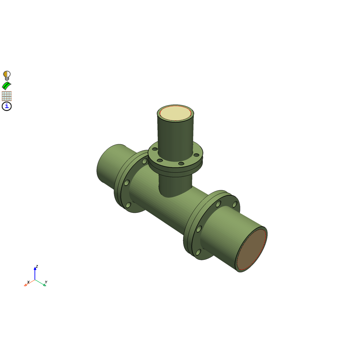
Mesh a pipe T-section for structural thermal and fluid flow analysis
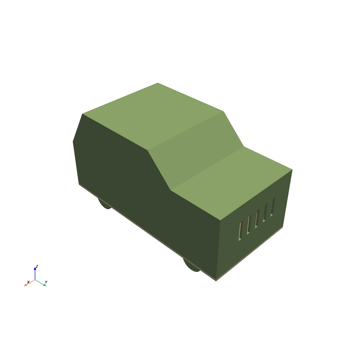
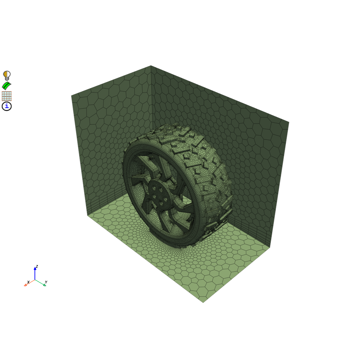
Create a contact patch for wrapping between a wheel and ground interface